desktop app
Connect Hermes Desktop to your box
Hermes ships a native desktop app for macOS, Windows and Linux. You can point it at your meraGPT box and chat from a real GUI instead of the browser tab. Same sessions, same skills, same config, same model bills — just a different surface.
The browser tab keeps working unchanged either way; this guide is for the extra surface, not a replacement for the dashboard you already use.
The whole flow
Three minutes, three places:
- On portal.nousresearch.com, register your box (you’ll need a free Nous Portal account).
- On your meraGPT dashboard, paste back the client_id Portal gives you. We push it to your box.
- On Hermes Desktop, point at your box URL and click Sign in with Nous Research.
No SSH. No CLI. The same kind of self-serve workflow you’d expect from any managed service.
1. Register your box at Nous Portal
Open portal.nousresearch.com/local-dashboards in a new tab. Sign in (or sign up — it’s free), then click Register a new dashboard.
When Portal asks for the dashboard’s redirect URI, paste the one we show you on your meraGPT dashboard (it’s of the form https://app.meragpt.com/u/<your-handle>/auth/callback — there’s a copy button on the card).
Portal responds with a client_id that looks like agent:<opaque-id>. Copy it.
2. Paste the client_id into your meraGPT dashboard
On meraGPT.com/dashboard, scroll down to the Connect Hermes Desktop card (it’s underneath your box panel). Paste the client_id into the field and click Save.
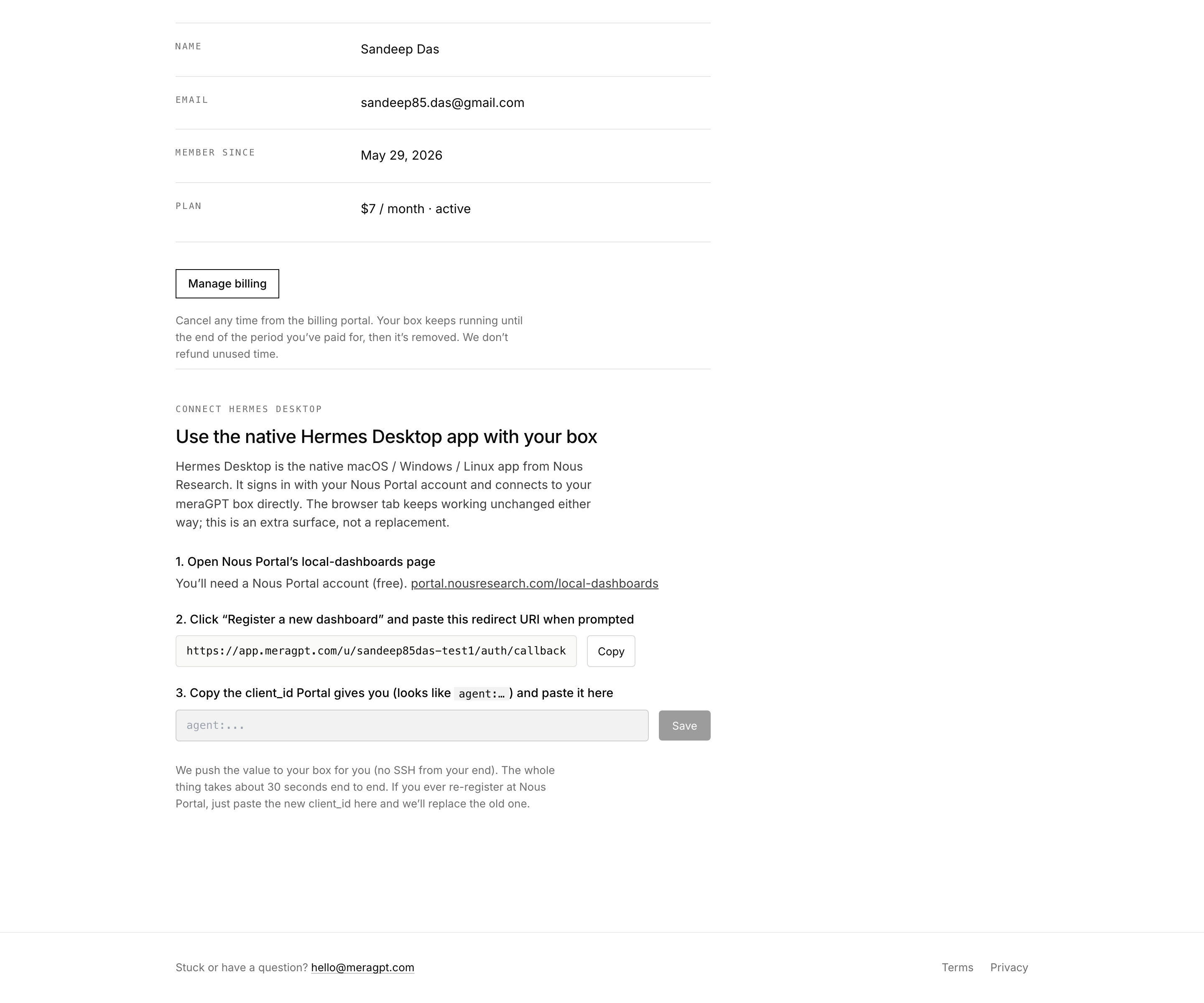
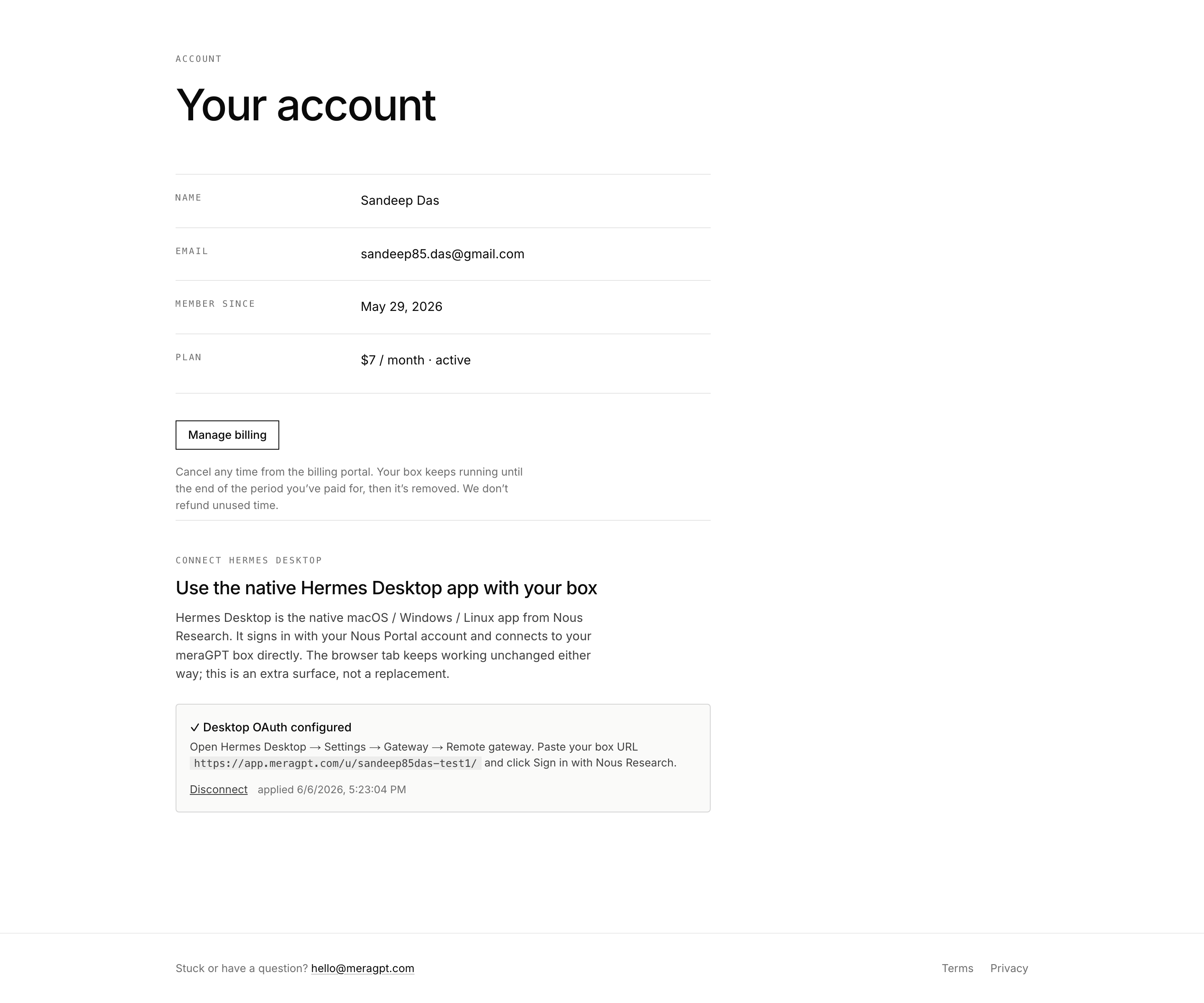
When you save, we record the client_id against your box. Within about 10 seconds, our edge proxy SSHes into your box on your behalf (no SSH key needed from you), writes HERMES_DASHBOARD_OAUTH_CLIENT_ID and HERMES_DASHBOARD_PORTAL_URL into ~/.hermes/.env, and Hermes automatically picks up the new env on its next restart (a path unit on the box watches the file).
When the round trip completes, the card flips to Desktop OAuth configured:
3. Connect Hermes Desktop
Grab the installer from hermes-agent.nousresearch.com/desktop and run it. macOS gets a .dmg, Windows an .msi, Linux an AppImage.
On first launch you see the chat home page. Open Settings → Gateway:
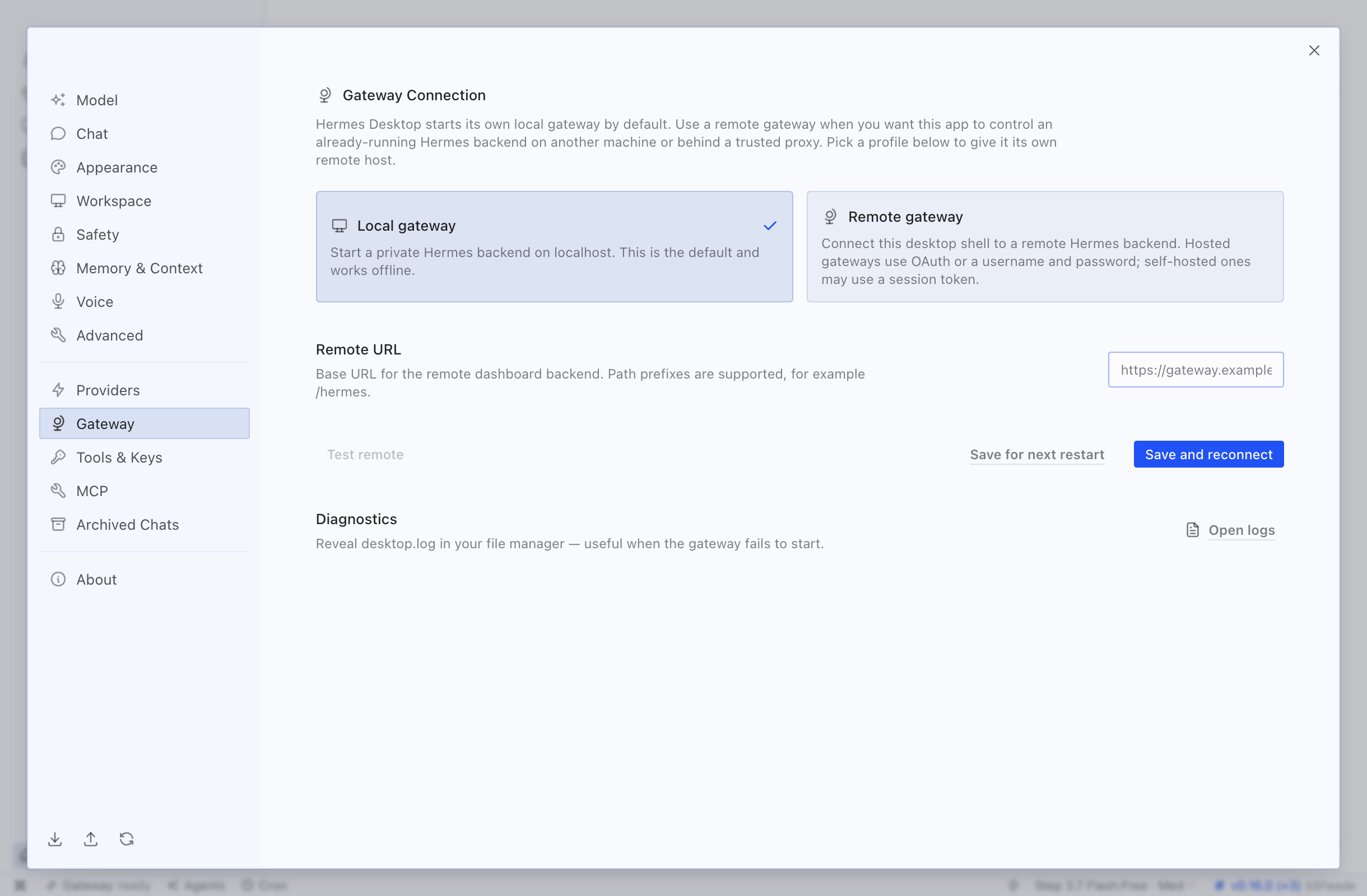
Click the Remote gateway card so it picks up the check mark. In the Remote URL field below, paste your box URL:
https://app.meragpt.com/u/<your-handle>/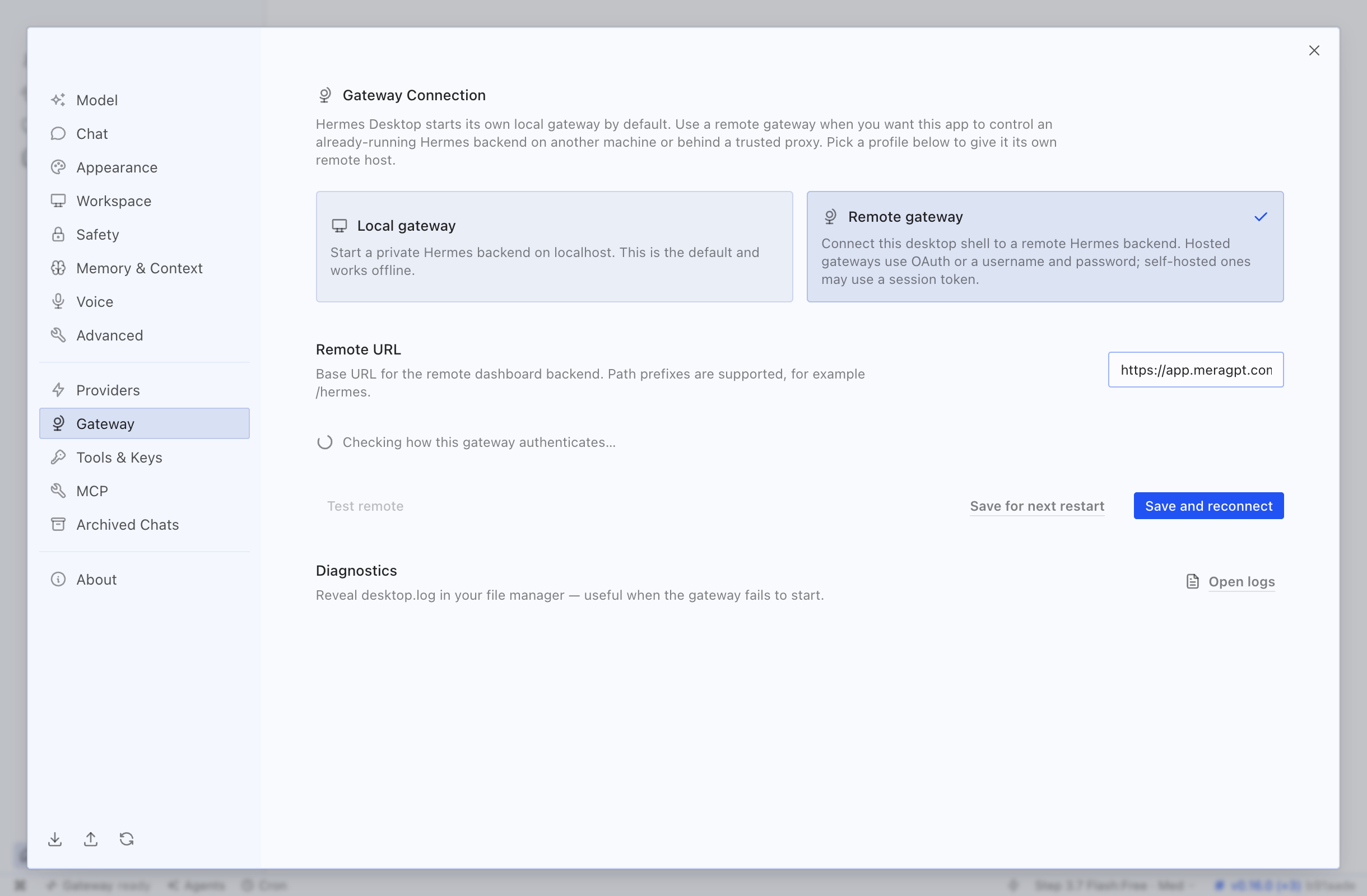
As soon as you stop typing, Hermes Desktop polls your box’s /api/status, sees that it advertises the Nous Portal provider, and surfaces a Sign in with Nous Research button. Click it.
A browser tab opens, you sign in to your Nous account (the same one you used in step 1), click Allow, and Hermes Desktop catches the redirect.
Click Save and reconnect. The app switches its backend to your meraGPT box. Your remote sessions, remote skills and remote API keys all show up.
You can still use the browser too
The browser tab path is unchanged. The meraGPT cookie you already use (set when you click Open your agent on your meraGPT dashboard) keeps authenticating you through our edge proxy — the box has two auth providers stacked side by side, and whichever your client presents valid credentials for is the one that hands you a session.
Re-registering or rotating
If you ever re-register at Nous Portal (e.g. you regenerated the dashboard credential), just paste the new client_id into the same field on /dashboard and click Save. We push the new value to your box and the path unit restarts Hermes — takes about 10 seconds. The old client_id is replaced, not stacked.
If you want to stop using the desktop entirely, hit Disconnect on the card. We clear the OAuth config from your box; the browser cookie path still works.
Troubleshooting
The card says “Pushing to your box” and stays there
Edge polls every 10 seconds. If it’s still pending after a minute, your box might be unreachable. Try clicking Open your agent — if the dashboard loads, the edge can SSH in too. If it doesn’t, drop a line to hello@meragpt.com and we’ll have a look.
“Invalid redirect URI” during sign-in
The URI you pasted at Portal doesn’t exactly match what the desktop is sending. Re-register on Portal with the URI we show on the account card (copy it with the button, don’t retype it — including the trailing slash), then paste the new client_id back into the account card.
“Backend not reachable” in Hermes Desktop
Confirm your box is up by opening the meraGPT dashboard and clicking Open your agent. If the browser path works, the desktop should work too — the difference is usually that the URL in your desktop profile doesn’t exactly match your box URL (case, missing slash, an old handle from before a rebuild). Re-copy the URL from /account.
Why not username/password?
Hermes also ships a username/password provider. We deliberately don’t enable it on meraGPT boxes — the Hermes team’s own guidance is that it’s only appropriate for a trusted LAN or behind a VPN, never directly on the public internet. Your meraGPT box is a public hostname, so the OAuth path via Nous Portal is the right answer.
Related
- Messaging channels — wire Telegram, Discord, Slack into your box from the new browser admin panel.
- Using your agent — slash commands, sessions, and the chat surface. Same shape regardless of whether you reach it from the browser or the desktop app.
- Hermes Desktop official docs — the upstream guide for everything the desktop UI does once you’re connected.