May 29, 2026 · 5 min
Add a Kanban board to your Hermes box in one paste
Archive. Written when meraGPT hosted Hermes Agent on managed boxes. That service ended on 2 September 2026, but Hermes is open source, so this still works if you run it yourself. What meraGPT does now.
The thing that turns a chat tab into your tool is being able to bolt extra surfaces onto it. Hermes calls these plugins, and the install model is dead simple: paste a GitHub URL, hit a button, the new feature shows up in your sidebar. The Kanban board ships with every meraGPT box, so this post uses it as the worked example, then shows you how to install other ones and what a good plugin looks like under the hood.
The Plugins tab
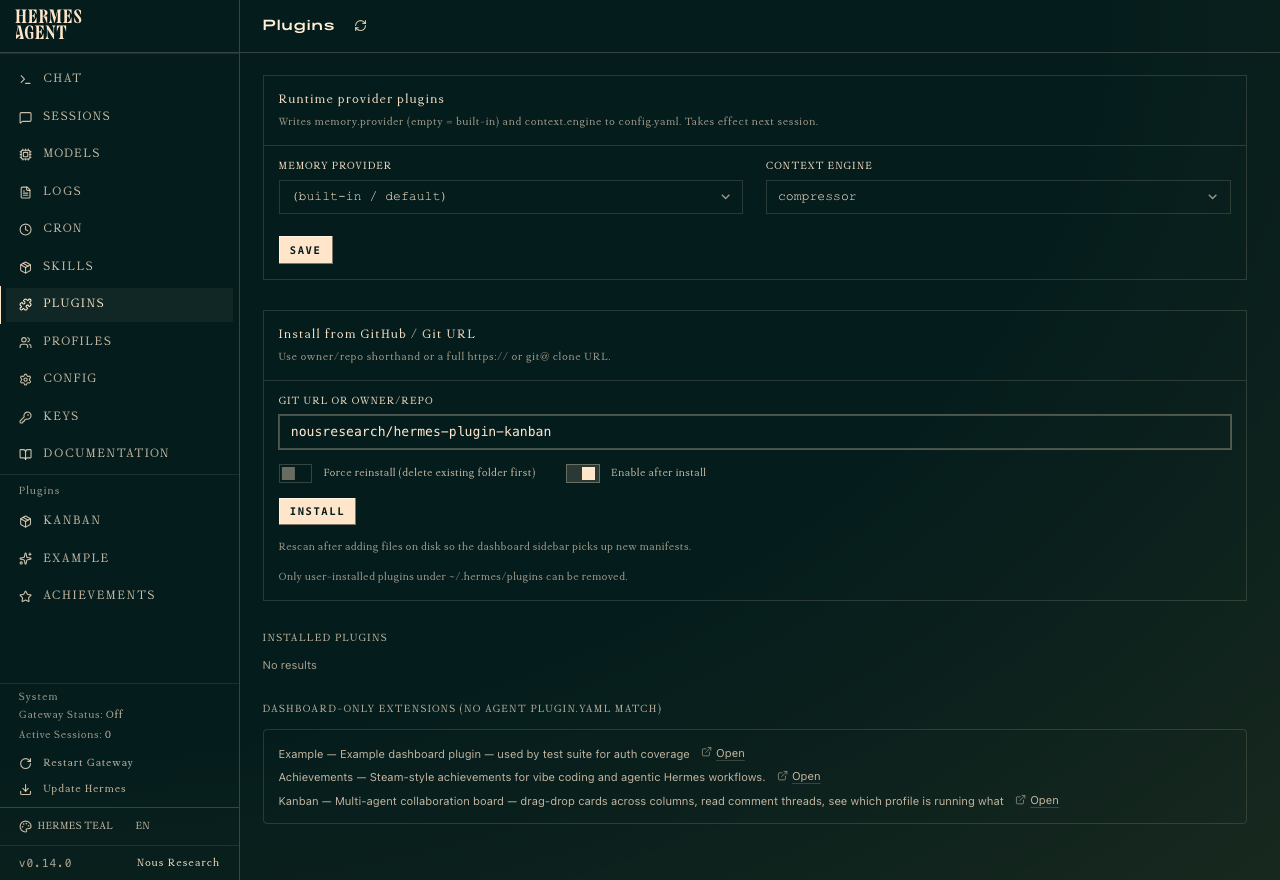
Click PLUGINS in the dashboard sidebar. Two things are worth knowing right away.
The top panel, Runtime provider plugins, swaps the building blocks of how Hermes thinks: which memory store it uses, which compressor it runs over long context. You almost certainly do not need to touch this. The defaults are tuned for the chat workload and changing them takes effect on the next session.
The middle panel is the one you came for: Install from GitHub / Git URL. Anything with a valid plugin.yaml at its repository root can be dropped in here.
What the Kanban plugin actually does
Kanban is one of three plugins that ship preinstalled on every box (the others are Example, a reference plugin used by Hermes’ own test suite, and Achievements, which throws Steam-style badges when you do agentic things). Once enabled, Kanban appears in the left sidebar under Plugins. Click it and you get a full multi-tenant board, scoped to whatever profile your agent is running on.
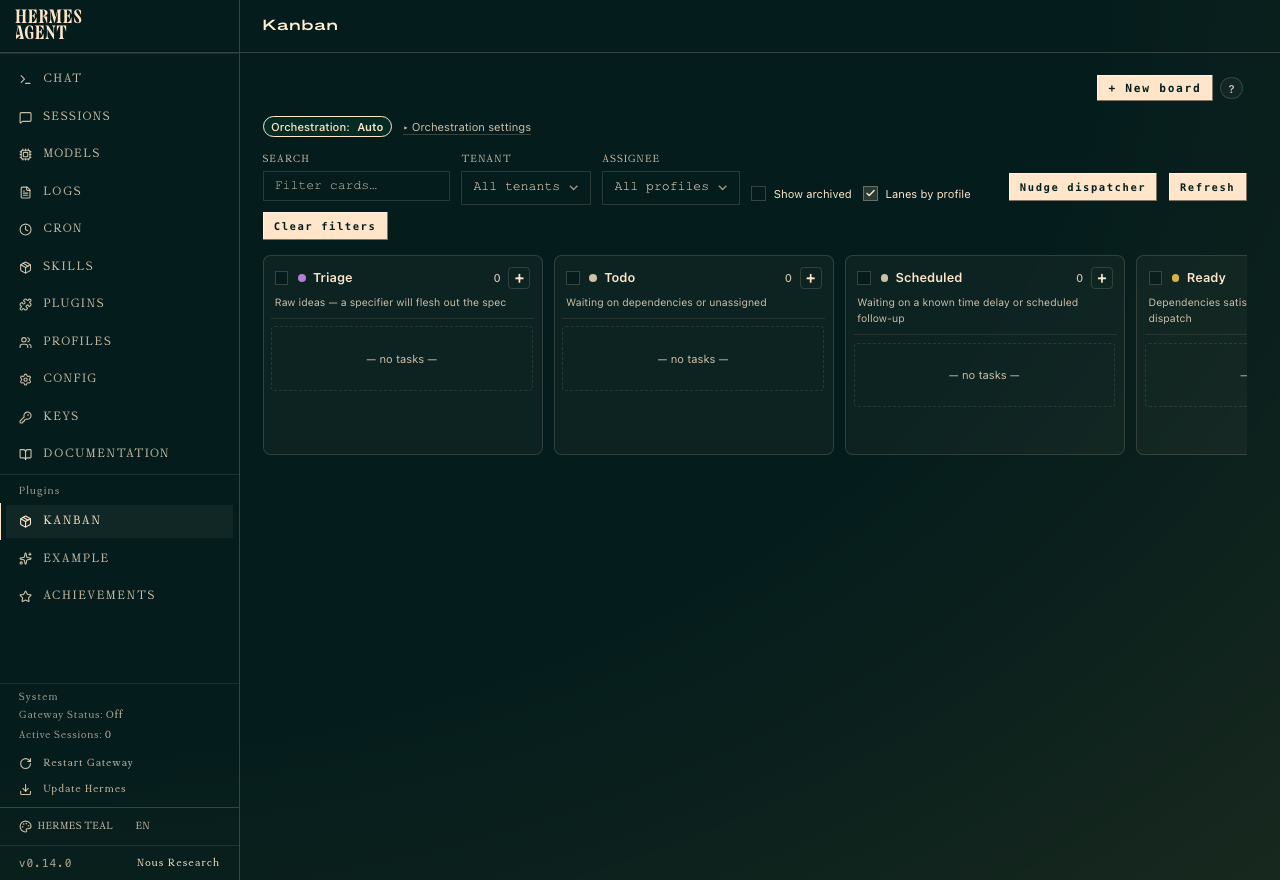
The interesting bit is that the agent can see the board too. You can say “put a card in Todo for the database migration” and it lands there. You can ask “what is in Triage and what is blocking it” and it reads the board back to you. The plugin is a surface for both humans and the agent, which is the bit a vanilla SaaS Kanban tool cannot do.
Installing one of your own
Paste an owner/repo or a full git URL into the install field. Examples that work:
NousResearch/hermes-plugin-clockhttps://github.com/you/your-plugin.gitgit@github.com:you/private-plugin.git(Hermes uses the box’s SSH key)
Toggle Enable after install if you want it live immediately rather than landing as installed-but-off. Hit INSTALL. Hermes clones the repo to ~/.hermes/plugins/<name> on your box, runs any pip install or npm install the plugin declares, and rescans the manifest. The new surface shows up in the sidebar within a couple of seconds.
To remove or update a plugin, you can either reinstall (the Force reinstall toggle wipes the existing folder first) or pop into the box terminal and rm -rf the plugin directory. Only user-installed plugins under ~/.hermes/plugins can be removed; the built-ins are read-only.
What a plugin actually is
A Hermes plugin is just a git repo with a plugin.yaml at the root that declares what it provides: a dashboard panel (React or iframe), a set of tools the agent can call, a memory provider, or some combination of the three. There is no SDK to learn and no app store to apply to. If you can write a React component that talks to a small backend, you can ship a plugin.
The official examples are the best starting point. Clone NousResearch/Hermes/example_plugins, copy whichever one is closest to your idea, edit the manifest, push it to a repo, paste the URL. The whole loop is small enough that it’s the right way to prototype a tool before deciding if it deserves to be a real product.
Why this matters more than it looks
Most managed AI tools give you a chat window and a settings page. That’s the ceiling. A plugin model is the difference between “your agent can talk to my service” and “your agent can render my service inside its own dashboard, share state with you, and act on it when you aren’t looking.” That ceiling is much higher.
For a worked example of pairing plugins with the always-on box, see A morning Hacker News brief on a cron: a plugin gives the agent a tool, a cron job decides when to use it.